

Slayd-shou galereyasi
CSS va JavaScript yordamida moslashuvchan slayd-shou galereyasini yaratishni o‘rganing.
Slayd-shou galereyasi
Slayd-shou elementlarni navbatma-navbat ko‘rsatish uchun ishlatiladi:
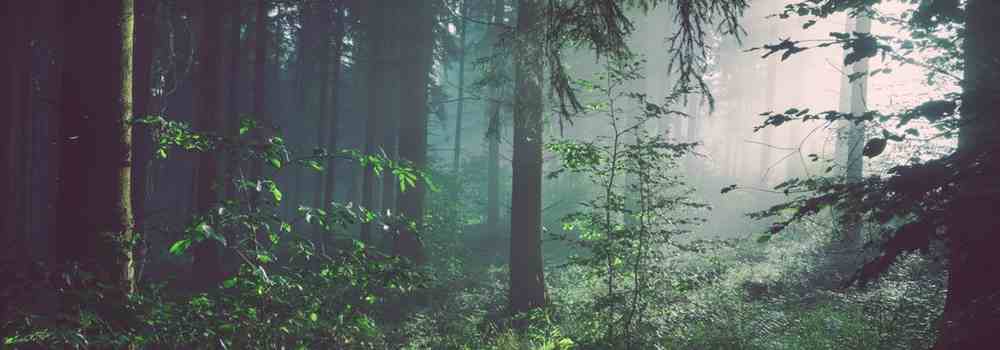
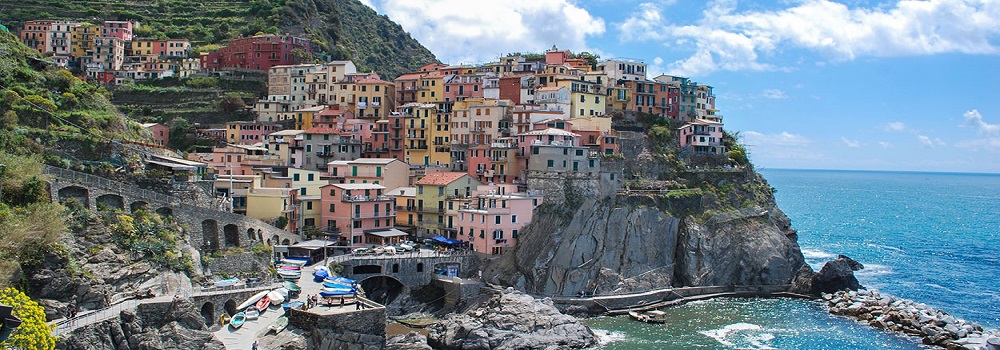








Slayd-shou galereyasini yaratish
1-qadam) HTML qo‘shing:
Misol
<!-- Container for the image gallery -->
<div class="container">
<!-- Full-width images with number text -->
<div class="mySlides">
<div class="numbertext">1 / 6</div>
<img src="img_woods_wide.jpg" style="width:100%">
</div>
<div class="mySlides">
<div class="numbertext">2 / 6</div>
<img src="img_5terre_wide.jpg" style="width:100%">
</div>
<div class="mySlides">
<div class="numbertext">3 / 6</div>
<img src="img_mountains_wide.jpg" style="width:100%">
</div>
<div class="mySlides">
<div class="numbertext">4 / 6</div>
<img src="img_lights_wide.jpg" style="width:100%">
</div>
<div class="mySlides">
<div class="numbertext">5 / 6</div>
<img src="img_nature_wide.jpg" style="width:100%">
</div>
<div class="mySlides">
<div class="numbertext">6 / 6</div>
<img src="img_snow_wide.jpg" style="width:100%">
</div>
<!-- Next and previous buttons -->
<a class="prev" onclick="plusSlides(-1)">❮</a>
<a class="next" onclick="plusSlides(1)">❯</a>
<!-- Image text -->
<div class="caption-container">
<p id="caption"></p>
</div>
<!-- Thumbnail images -->
<div class="row">
<div class="column">
<img class="demo cursor" src="img_woods.jpg" style="width:100%" onclick="currentSlide(1)" alt="The Woods">
</div>
<div class="column">
<img class="demo cursor" src="img_5terre.jpg" style="width:100%" onclick="currentSlide(2)" alt="Cinque Terre">
</div>
<div class="column">
<img class="demo cursor" src="img_mountains.jpg" style="width:100%" onclick="currentSlide(3)" alt="Mountains and fjords">
</div>
<div class="column">
<img class="demo cursor" src="img_lights.jpg" style="width:100%" onclick="currentSlide(4)" alt="Northern Lights">
</div>
<div class="column">
<img class="demo cursor" src="img_nature.jpg" style="width:100%" onclick="currentSlide(5)" alt="Nature and sunrise">
</div>
<div class="column">
<img class="demo cursor" src="img_snow.jpg" style="width:100%" onclick="currentSlide(6)" alt="Snowy Mountains">
</div>
</div>
</div>
2-qadam) CSS qo‘shing:
Rasmlar galereyasiga, keyingi va oldingi tugmalariga, izoh matniga va nuqtalarga uslub bering:
Misol
* {
box-sizing: border-box;
}
/* Position the image container (needed to position the left and right arrows) */
.container {
position: relative;
}
/* Hide the images by default */
.mySlides {
display: none;
}
/* Add a pointer when hovering over the thumbnail images */
.cursor {
cursor: pointer;
}
/* Next & previous buttons */
.prev,
.next {
cursor: pointer;
position: absolute;
top: 40%;
width: auto;
padding: 16px;
margin-top: -50px;
color: white;
font-weight: bold;
font-size: 20px;
border-radius: 0 3px 3px 0;
user-select: none;
-webkit-user-select: none;
}
/* Position the "next button" to the right */
.next {
right: 0;
border-radius: 3px 0 0 3px;
}
/* On hover, add a black background color with a little bit see-through */
.prev:hover,
.next:hover {
background-color: rgba(0, 0, 0, 0.8);
}
/* Number text (1/3 etc) */
.numbertext {
color: #f2f2f2;
font-size: 12px;
padding: 8px 12px;
position: absolute;
top: 0;
}
/* Container for image text */
.caption-container {
text-align: center;
background-color: #222;
padding: 2px 16px;
color: white;
}
.row:after {
content: "";
display: table;
clear: both;
}
/* Six columns side by side */
.column {
float: left;
width: 16.66%;
}
/* Add a transparency effect for thumnbail images */
.demo {
opacity: 0.6;
}
.active,
.demo:hover {
opacity: 1;
}
3-qadam) JavaScript qo‘shing:
Misol
let slideIndex = 1;
showSlides(slideIndex);
// Next/previous controls
function plusSlides(n) {
showSlides(slideIndex += n);
}
// Thumbnail image controls
function currentSlide(n) {
showSlides(slideIndex = n);
}
function showSlides(n) {
let i;
let slides = document.getElementsByClassName("mySlides");
let dots = document.getElementsByClassName("demo");
let captionText = document.getElementById("caption");
if (n > slides.length) {slideIndex = 1}
if (n < 1) {slideIndex = slides.length}
for (i = 0; i < slides.length; i++) {
slides[i].style.display = "none";
}
for (i = 0; i < dots.length; i++) {
dots[i].className = dots[i].className.replace(" active", "");
}
slides[slideIndex-1].style.display = "block";
dots[slideIndex-1].className += " active";
captionText.innerHTML = dots[slideIndex-1].alt;
}
O‘zingiz sinab ko‘ring »
W3Schools Pathfinder
Yutuqlaringizni kuzating – bu bepul!