

CSS rasm modal oynasi
Moslashuvchan modal rasm galereyasi
Modal rasm foydalanuvchiga joriy sahifadan chiqmasdan rasmning kattaroq versiyasini ko‘rsatish imkonini beradi. Foydalanuvchi modal rasmga bossa, veb-sahifaning asosiy kontenti ustida ko‘rinadigan, ko‘pincha yarim shaffof fonli qalqib chiquvchi oyna ochiladi. Modal oyna foydalanuvchi tomonidan yopilishi kerak — odatda "yopish" tugmasi yoki yuqori-o‘ng burchakdagi "X" belgisi orqali.
Bu misol moslashuvchan modal rasm galereyasi yaratish uchun HTML, CSS va JavaScript’ni birgalikda ishlatishni ko‘rsatadi.
CSS yordamida modal oyna (dialog qutisi) yaratamiz va uni standart holda yashiramiz.
Keyin foydalanuvchi rasmga bosganda modal oynani to‘g‘ri rasm bilan ko‘rsatish uchun JavaScript’dan foydalanamiz:
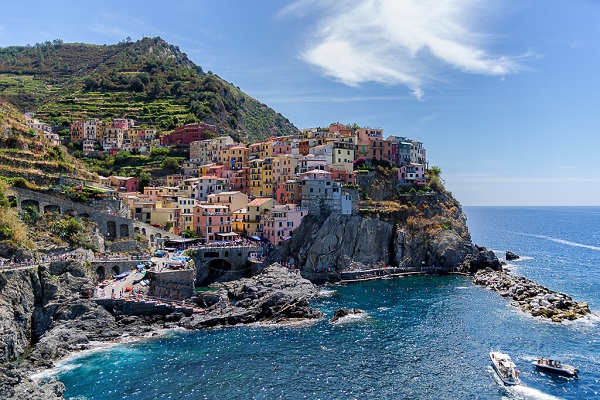
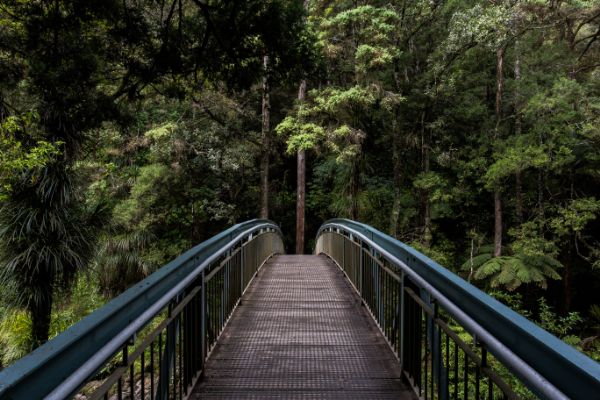


×
×
×
×
Misol
<html>
<head>
<meta name="viewport" content="width=device-width,
initial-scale=1.0">
<style>
* {
margin: 0;
padding: 0;
box-sizing: border-box;
}
h1 {
text-align: center;
padding:
20px;
}
.gallery {
display: flex;
flex-wrap: wrap;
justify-content: flex-start;
padding: 0 15px;
}
.gallery-item {
position: relative;
width: calc(25% - 20px);
height: auto;
margin:
10px;
cursor: pointer;
transition: transform 0.5s ease;
}
.gallery-item:hover {
transform: scale(1.1);
}
/* The Modal
(background) */
.modal {
display: none;
position: fixed;
z-index:
1000;
left: 0;
top: 0;
width: 100%;
height: 100%;
background-color: rgba(0, 0, 0, 0.8);
align-items: center;
justify-content: center;
transition: opacity 0.5s ease;
}
/*
Modal content (image) */
.modal-content {
position: relative;
width:
90%;
height: auto;
max-width: 90%;
max-height: 90%;
border-radius:
5px;
overflow: hidden;
animation: zoomIn 0.5s;
}
@keyframes
zoomIn {
from {transform: scale(0.6);}
to {transform: scale(1);}
}
.modal.show {
display: flex;
opacity: 1;
}
/* Close button
*/
.close {
position: absolute;
top: 10px;
right: 15px;
color:
#ffffff;
font-size: 35px;
font-weight: bold;
cursor: pointer;
transition: transform 0.3s;
}
/* Caption of modal image */
.caption {
position: absolute;
bottom: 15px;
width: 100%;
text-align: center;
color: #ffffff;
font-size: 24px;
}
@media
screen and (max-width: 768px) {
.gallery-item {
width: calc(50% - 20px);
}
}
@media screen and (max-width: 480px) {
.gallery-item {
width: calc(100% - 20px);
}
}
</style>
</head>
<body>
<h1>Responsive Modal Images</h1>
<div class="gallery">
<img
src="img_5terre.jpg" alt="Cinque Terre" class="gallery-item"
onclick="openModal('modal1', 'Cinque Terre')">
<img src="img_forest.jpg" alt="Forest" class="gallery-item"
onclick="openModal('modal2', 'Forest')">
<img
src="img_lights.jpg" alt="Northern Lights" class="gallery-item"
onclick="openModal('modal3', 'Nothern Lights')">
<img src="img_mountains.jpg" alt="Mountains" class="gallery-item"
onclick="openModal('modal4', 'Mountains')">
</div>
<div id="modal1" class="modal">
<span class="close"
onclick="closeModal('modal1')">×</span>
<img src="img_5terre.jpg"
alt="Cinque Terre" class="modal-content">
<div
class="caption"></div>
</div>
<div id="modal2" class="modal">
<span class="close" onclick="closeModal('modal2')">×</span>
<img
src="img_forest.jpg" alt="Forest" class="modal-content">
<div class="caption"></div>
</div>
<div id="modal3"
class="modal">
<span class="close"
onclick="closeModal('modal3')">×</span>
<img src="img_lights.jpg"
alt="Northern Lights" class="modal-content">
<div
class="caption"></div>
</div>
<div id="modal4" class="modal">
<span class="close" onclick="closeModal('modal4')">×</span>
<img
src="img_mountains.jpg" alt="Mountains" class="modal-content">
<div class="caption"></div>
</div>
<script>
function openModal(modalId, caption) {
let modal =
document.getElementById(modalId);
modal.style.display = "flex";
modal.classList.add("show");
let message = modal.querySelector(".caption");
message.innerText = caption;
}
function closeModal(modalId) {
let
modal = document.getElementById(modalId);
modal.classList.remove("show");
setTimeout(function () {
modal.style.display = "none";
modal.querySelector(".caption").innerText = "";
}, 300);
}
</script>
</body>
</html>
O‘zingiz sinab ko‘ring »
W3Schools Pathfinder
Yutuqlaringizni kuzating – bu bepul!